


Color Printing Tips and Tricks
AEM/Enet has Color Laser Printers available for student use:
- aem120color
- 600 dpi HP Color LaserJet 5550 dn, full-color laser printer (with duplexer) which is meant for printing on paper only
AEM/Enet also has Black and White Laser Printers available for student use:
- aem120
- is a 1200 dpi HP LaserJet 9050 dtn, a B&W laser printer (with duplexer) which is meant for printing on paper only
Accessing the Printer
The printers are accessable from the Unix machines and the Windows machines as "aem120color", "aem120"Note that when printing in color, it is important that the printer drivers you use know to generate the postscript in color. In general, Unix software handles this automatically, but some applications you may need to explicitly set color.
If generating postscript under Windows or the Mac, it is important to use the correct driver for the Printer you intend to send the job to.
Transparencies
Transparencies may only be printed with permission. To print transparencies, you must first obtain some transparencies. The recommended transparencies are 3M PP2950 "Transparency Film for High Temperature Copiers" (a picure of the box is here). The only transparencies that are allowed in the printer are the 3M PP2950, 3M CG3700 or 3M CG3300 "Laser Printer" Transparencies (the newer boxes of CG3300 tend to ripple, so we don't recommend them anymore).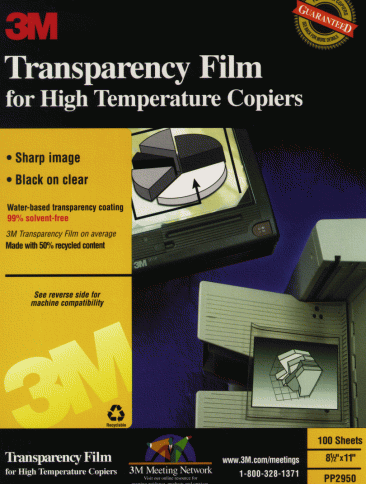
Before printing transparencies, you must first load the transparencies into the printer. Ask a staff member for help if you haven't done it before. Once the transparencies are loaded, make sure you pull out the plastic tray to catch the transparencies as they are ejected from the front of the printer.
Once you are done printing, immediately remove any un-used transparencies so that nobody else will accidentally print on them.
Printer maintenance
Due to the expense of these printers and their particular maintenance requirements, users are reminded to take care when using these printers. To make sure that the printers are used appropriately, we have a number of rules for their use:- Users are not to open the printer covers, change the panel settings, or otherwise mess with the printer *under ANY circumstances*.
- You may add paper if the printer runs out (only the designated paper - nothing else). If you are uncertain how to add paper, contact the AEM Office
- The aem120color and aem120 printers are to be used for paper printing only (and only the paper that is provided - never your own). If you need to print Transparencies, you should contact the AEM Office Staff. Under very special circumstances exceptions may be made, but must be approved by the AEM Office Staff in advance.
Breaking any of these rules could result in closure of your AEM/Enet account, and if you are caught opening the printer you could be held responsible for any resulting damage to the printer.
Remember, printing is a privilege on All systems, and this privilege should not be abused.
Tips and Tricks
- Make sure you are using the correct print driver. This makes a lot of difference in the quality of your printout.
- The color printer does a very good job with solid colors and plots. For bitmap images, results will vary. If a bitmap prints out faded or dark, you might try increasing the "gamma" of the image using an image editor such as "xv".
- Colors will almost never look the same on the screen and the printer, so don't be surprised if there is a slight difference.
- The printer has limited memory, and since color printing takes about 4 times as much memory as regular printing, the print often runs out of memory. If you are printing large documents, it is best to print them in separate print jobs of 1-4 pages each.
Last Modified: 2026-05-26 at 12:24:29 -- this is in International Standard Date and Time Notation